


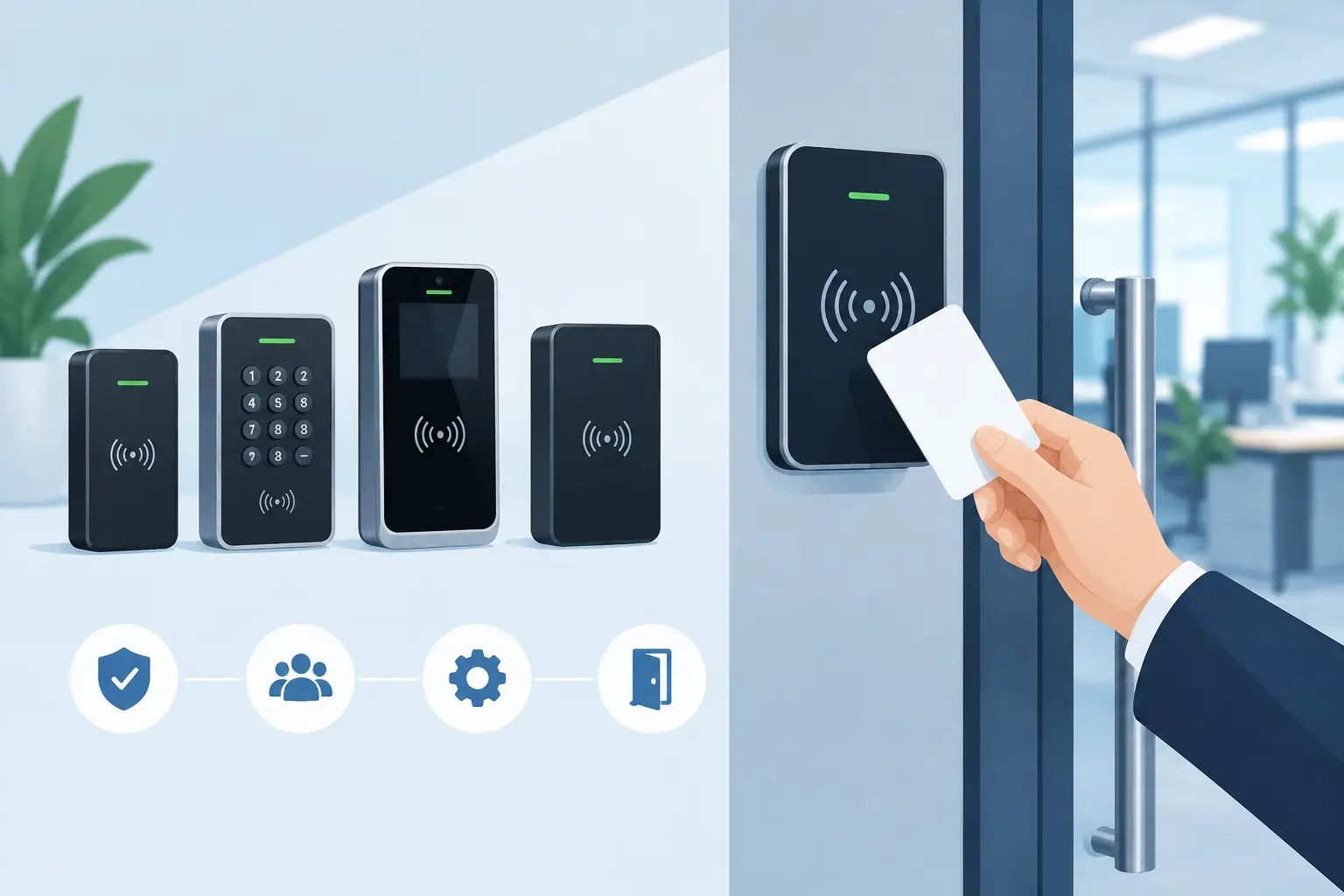
A badge reader at a lobby door has a simple job: identify a credential and decide whether the door should open. In practice, the RFID access control terminal selected for that door affects cabling, credential security, user experience, maintenance workload, and the ability to expand the system across a facility.
For an office, warehouse, school, hospital, or industrial site, the right terminal is not defined by card reading alone. It must fit the existing access-control platform, survive the installation environment, communicate reliably over the available network, and support the workflow around it. That may mean a compact reader for a secured door, a touchscreen terminal that also captures attendance, or a purpose-built Android device that runs a branded visitor or workforce application.
What an RFID Access Control Terminal Does
An RFID access control terminal reads an RFID or NFC credential and sends an authorization request or credential data to an access-control system. Depending on the architecture, the terminal may be a simple reader connected to a door controller, or it may be an intelligent endpoint with its own processor, display, operating system, network connection, and local application.
The distinction matters. A conventional reader is often appropriate when a site already has door controllers, a credential format, and management software in place. It keeps the door edge simple and places access decisions in the controller or cloud platform.
A smart terminal supports broader workflows. A touchscreen can display employee instructions, present a visitor check-in form, require a PIN after a card tap, or confirm a clock-in event. A camera, barcode scanner, fingerprint sensor, or intercom can be integrated where the workflow needs stronger identity verification or exception handling. These functions create more design choices, but they can reduce the number of devices mounted at a high-traffic entrance.
Start With the Credential Technology
The first procurement question is not screen size or enclosure color. It is which credentials the deployment needs to read.
Low-frequency 125 kHz credentials remain common in legacy facilities. High-frequency 13.56 MHz RFID and NFC technologies are widely used for modern employee badges, smart cards, mobile credentials, and multi-application cards. UHF RFID is better suited to longer-range identification, such as vehicle gates, asset movement, or hands-free personnel tracking, rather than standard close-proximity door access.
A terminal must support the exact card technology and security method already deployed or planned. The frequency alone is not enough. Card families, memory structures, encryption keys, and mobile credential requirements can differ significantly within the same frequency band. A reader that detects a card but cannot authenticate it securely is not a suitable substitute.
For new deployments, security should influence credential selection early. Older proximity formats may be convenient where installed systems require them, but they can present cloning risks. Secure smart-card technologies and managed mobile credentials offer stronger options when the controller, reader, and credential issuance process are designed together.
Plan for Reader-to-Controller Communication
Wiegand remains common because it is broadly supported, but it has limitations, particularly where data protection and reader supervision matter. OSDP is often the stronger choice for new installations. It supports two-way communication and can support Secure Channel Protocol to protect communications between the reader and controller.
The terminal must also match the controller’s electrical and communications requirements. A project can fail at installation if the team confirms card compatibility but overlooks interface type, cable distance, voltage, relay logic, or controller firmware support. For smart Android or Linux terminals, Ethernet, Wi-Fi, serial interfaces, USB, GPIO, or a controller API may be part of the integration plan.
Choose an Installation Architecture Before Selecting Hardware
An access terminal does not secure a door by itself. It operates within a system that includes locks, request-to-exit devices, door contacts, controllers, power supplies, emergency egress hardware, and management software. Selecting the terminal in isolation usually creates avoidable integration work later.
For a single controlled opening, a dedicated reader paired with an established controller can be efficient and easy to service. For a building entrance, employee timekeeping point, or visitor reception area, a touchscreen terminal may provide a better operational fit. It can collect the information that normally requires a separate kiosk, paper log, or attendant.
Network design is equally important. Power over Ethernet is especially practical for fixed-installation terminals because one cable can deliver both power and data. This reduces electrical work, simplifies mounting, and enables centralized UPS-backed power where the network infrastructure supports it. It is a strong fit for wall-mounted Android tablets, panel PCs, and access terminals placed in locations without a nearby outlet.
Wi-Fi can work for retrofit sites or mobile deployments, but it requires a realistic review of signal quality, roaming behavior, security policy, and outage handling. A device mounted beside a steel-framed door or inside a loading area may not receive the same coverage as a laptop at a desk.
Match the Terminal to the Environment
A polished indoor reader may be adequate at a climate-controlled office suite. It is not automatically appropriate for a shipping entrance, food processing area, parking gate, or exterior school access point.
Environmental specifications should be evaluated against the actual mounting location. Outdoor installations may require IP65 or higher protection against dust and water, a sunlight-readable display around 1,000 nits or more, wide operating-temperature support, UV-resistant materials, and a mounting approach that prevents cable exposure. In washdown or harsh industrial areas, IP67 protection may be required depending on the cleaning process and exposure level.
Mechanical durability is part of uptime. Look at the enclosure material, glass strength, connector protection, mounting points, and service access. A terminal that is difficult to replace or reconfigure can create unnecessary downtime even if its core electronics are reliable.
For 24/7 facilities, specify components with long availability and a controlled product lifecycle. Operations teams do not benefit from a low initial device cost if a model changes without notice, replacement units have different interfaces, or the software image cannot be maintained consistently across locations.
Build Security Beyond the Card Tap
Access control is a physical security system, so the device should be assessed as both hardware and network equipment. Credential security is only one layer.
A practical design considers tamper detection, secure mounting, protected cables, encrypted communications, account permissions, audit logs, and device management. If a terminal runs Android, Linux, or Windows, its operating system needs a defined update and patch process. Kiosk mode can restrict the device to the approved application and prevent users from reaching system settings, installing apps, or altering network configuration.
Biometric verification can add assurance where badge sharing is a concern, but it also introduces privacy, enrollment, regulatory, and false-rejection considerations. It is most effective when the risk justifies the added process. A warehouse time clock may benefit from badge-plus-fingerprint verification; a busy employee entrance may prioritize speed and use secure mobile or smart-card credentials instead.
The same trade-off applies to cloud-connected systems. Centralized management helps multi-site operators monitor status, distribute configurations, and review events. Local controller capability is still valuable when internet service is interrupted. The right balance depends on the site’s tolerance for offline operation and the location of authorization data.
When a Standard Terminal Is Not Enough
Many access-control projects begin with a standard device and only reveal special requirements after deployment planning starts. Common examples include a custom wall enclosure, a reader positioned behind a glass front, a particular logo and boot screen, a specific camera angle, or firmware that launches directly into a proprietary access application.
That is where OEM and ODM hardware development becomes relevant. A manufacturer can adapt a standard platform through white-label branding, configured firmware, reader integration, enclosure changes, and controlled production. For larger programs, custom PCB and motherboard design, mechanical engineering, and certification planning can produce a terminal aligned to the product team’s software, installation method, and supply-chain requirements.
Geekland supports this path with industrial Android, Linux, and Windows hardware that can be configured for RFID, NFC, biometrics, PoE, touchscreen workflows, and fixed-installation deployments. The objective is not customization for its own sake. It is to remove unnecessary field hardware and create a repeatable device that can be installed, managed, and replenished at scale.
A Better Procurement Checklist
Before approving an RFID access control terminal, validate the credential technologies, controller interface, network and power method, environmental rating, mounting design, operating system requirements, management model, and replacement strategy. Confirm how the device behaves during network loss, power loss, and controller failure. Test credentials from the actual card population, not only a sample card supplied with the terminal.
A pilot installation should include the difficult location: the exterior entrance, loading dock, metal-framed doorway, or high-traffic shift-change point. That is where read range, screen visibility, network performance, and user behavior become clear. A terminal that works at a conference-room door may perform very differently at a freezing, rain-exposed employee gate.
The most effective access terminal is the one that fits the whole operating system around the door: credentials, controllers, users, power, network, software, and service. Treat it as a long-term infrastructure component, and the deployment will be easier to secure, support, and scale.